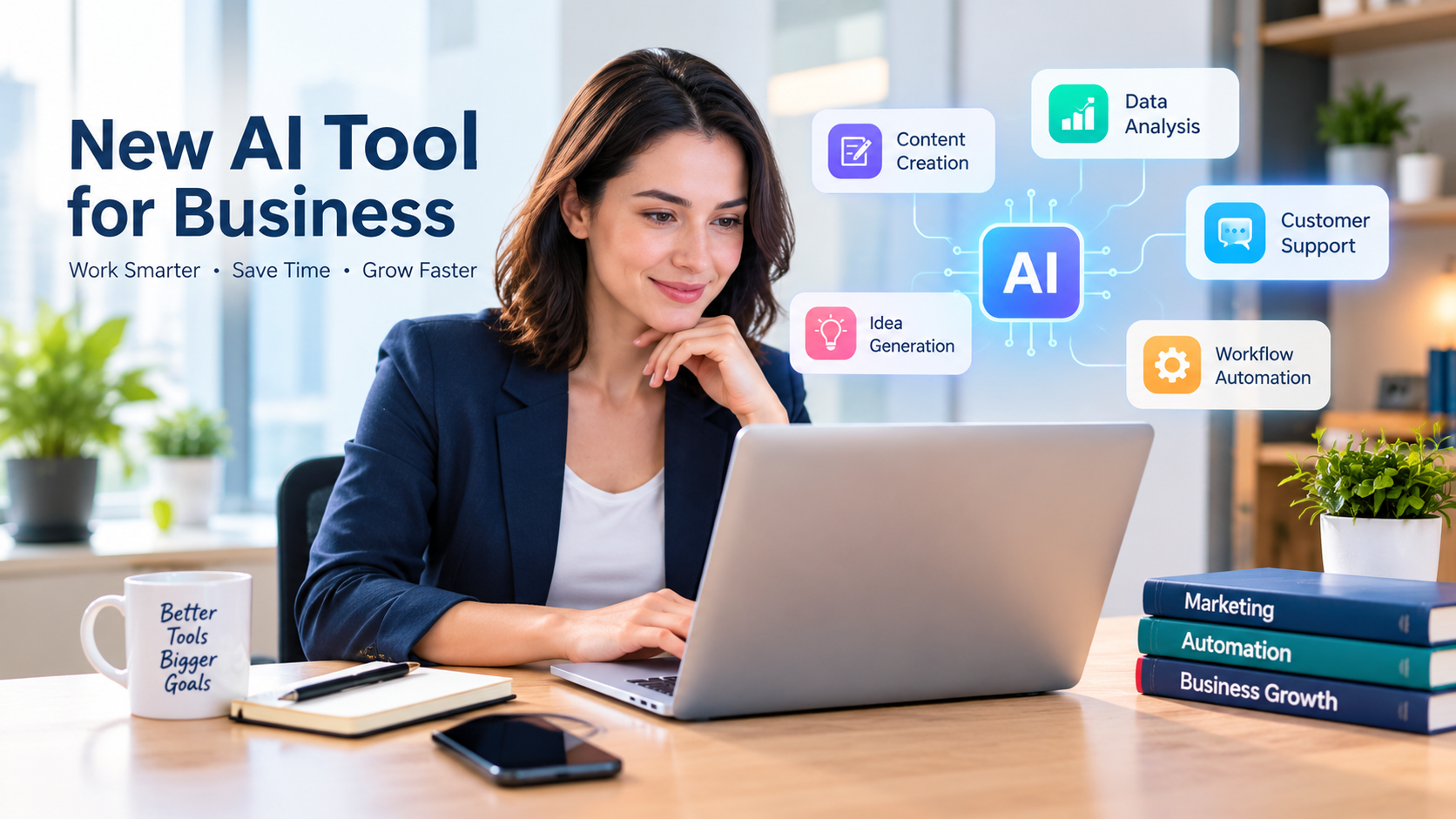
New AI Tool for Business: 7 Smart Ways to Work Better in 2026
Running a business often means managing several responsibilities at once. You may need to create marketing content, answer customer questions, organize sales information, research competitors, and keep daily operations moving—all with limited time and resources.
A new AI tool can help simplify some of these tasks. Modern artificial intelligence tools can assist with writing, research, data analysis, customer communication, and workflow automation. Some focus on one specific job, while others combine multiple capabilities in a single platform.
However, choosing the right tool is not simply about finding the newest product. The better approach is to identify a genuine business problem, test a tool against that problem, and measure whether it delivers useful results.
This guide explains seven practical ways to use a new AI tool for business, what to evaluate before paying for a subscription, and how small-business owners can get started without unnecessarily complicating their workflows.
startup business plan template
What Is a New AI Tool?
A new AI tool is an artificial intelligence application, platform, or feature that has recently launched or introduced new capabilities. Depending on its purpose, it may help users generate content, analyze information, communicate with customers, create images, or automate repetitive tasks.
AI tools generally fall into several categories:
- Generative AI: Creates drafts, ideas, summaries, images, and other content.
- Research and analysis tools: Help organize information, summarize documents, and interpret data.
- Marketing AI tools: Assist with campaign ideas, copywriting, customer segmentation, and content planning.
- Customer-service AI: Helps answer common questions and route customer requests.
- Workflow automation tools: Connect applications and reduce repetitive manual work.
Not every new feature is a completely new product. Established software companies frequently introduce AI capabilities into tools that businesses already use. For this reason, compare the actual functionality and business value instead of judging a product only by its launch date.
7 Smart Ways to Use a New AI Tool for Business
1. Create Marketing Content More Efficiently
Small businesses need consistent marketing, but creating every email, social post, product description, and blog outline manually takes time.
An AI writing assistant can help generate first drafts, brainstorm campaign ideas, organize article outlines, and adapt a message for different platforms.
For example, a local landscaping company could ask an AI tool to develop a month’s worth of seasonal social media ideas. The owner could then select the relevant ideas, add genuine project photos, verify any service claims, and edit the wording to reflect the company’s actual experience.
AI-generated content should be treated as a starting point rather than a finished product. Review facts, remove generic language, and add expertise that distinguishes your business from competitors.
Practical uses include:
- Drafting social media captions and email newsletters.
- Brainstorming blog topics and frequently asked questions.
- Creating first drafts of product descriptions.
- Repurposing a long article into shorter posts.
- Developing campaign concepts for different customer groups.
For SEO, make sure the finished article answers the reader’s question and provides original value. Publishing large volumes of lightly edited AI text is not a substitute for useful, accurate content.
2. Improve Customer Service
Customers may contact a business about opening hours, service availability, delivery policies, appointments, or order status. Answering the same questions repeatedly can consume valuable staff time.
An AI customer-service assistant may help respond to routine questions using approved business information. Depending on the platform, it might operate through a website chat interface or supported messaging channels.
For example, a salon could use an appropriately configured assistant to explain its services and direct customers to a booking page. Questions involving unusual requests, complaints, refunds, or sensitive information could be transferred to a staff member.
Before deployment, establish clear boundaries.
- Use accurate, regularly updated business information.
- Provide a way for customers to contact a human.
- Test the system with confusing and unexpected questions.
- Avoid allowing it to promise discounts, refunds, or services without authorization.
- Review customer feedback and incorrect answers.
AI can support a customer-service team, but businesses should not assume that every interaction can be automated safely or successfully.
3. Automate Repetitive Administrative Tasks
Many businesses lose time moving information between applications, preparing routine documents, organizing incoming requests, and sending follow-up messages.
AI-enabled workflow tools may help automate parts of these processes. Depending on the available integrations, a workflow might classify an incoming inquiry, extract basic information, prepare a draft response, and send the request to the appropriate team member for review.
Consider a small consulting company that receives inquiries through a website form. A workflow could organize submissions by service type, summarize the customer’s stated needs, and prepare a draft follow-up email.
The important distinction is between preparing work and taking action. Start with low-risk tasks and require human approval before an automated system sends external messages, changes important records, or commits money.
Good tasks to evaluate first:
- Sorting and categorizing incoming requests.
- Drafting routine internal updates.
- Preparing meeting summaries and action-item lists.
- Moving approved information between compatible applications.
- Creating reminders for follow-up activities.
Measure how much manual effort the workflow actually removes. A complicated automation that needs frequent correction may save less time than a simple, reliable process.
4. Support Business Research and Decision-Making
Business owners regularly research competitors, customer questions, industry developments, and possible new services. AI research assistants can help organize a research plan, summarize documents, and suggest questions worth investigating.
For example, a retailer considering a new product category could use an AI assistant to organize customer feedback, list potential competitors, and build a comparison framework.
AI-generated summaries are not proof that a market opportunity exists. Verify important claims against primary sources, current industry information, and direct customer evidence.
A useful research workflow is:
- Define the business question clearly.
- Gather relevant source material.
- Ask the AI tool to organize the information and identify patterns.
- Verify key facts using the original sources.
- Compare the findings with customer feedback and business data.
- Record the assumptions that still need testing.
Never rely on an AI-generated market estimate or competitor claim without checking its source and date.
5. Analyze Sales and Business Data
Some AI tools can help users explore spreadsheets, summarize trends, identify unusual entries, or create explanations of business performance.
A small business might use an AI assistant to organize monthly sales by product category, compare planned and actual expenses, or generate questions about changes in revenue.
For example, if sales declined in one product category, the tool could help structure an investigation into pricing, seasonality, inventory, marketing activity, or changes in customer demand. Those are possible explanations to investigate—not conclusions the AI should automatically declare true.
Before uploading data, check the provider’s privacy and data-use terms. Remove unnecessary customer identifiers and confidential information. Confirm calculations against the original spreadsheet, particularly when the results could influence spending, taxes, hiring, or financial decisions.
AI analysis can make data easier to explore, but business owners remain responsible for interpreting the results correctly.
6. Develop Ideas for Products and Services
Finding new ways to serve customers can be challenging when a business has limited research resources.
A general-purpose AI assistant can help brainstorm service packages, organize customer feedback, outline product concepts, and compare possible approaches to a business problem.
Imagine a freelance designer who wants to develop a service for local restaurants. The designer could ask an AI assistant to suggest possible packages, identify questions to ask restaurant owners, and create a draft customer survey.
The next step is real-world validation. Speak with potential customers, review competitors’ offerings, and test whether people are willing to pay for the proposed service.
AI brainstorming is useful for expanding the range of ideas considered. It does not establish demand, guarantee profitability, or replace customer research.
7. Improve Team Productivity and Documentation
Small teams often repeat the same explanations, lose track of decisions, or struggle to keep internal documents organized.
AI tools can help summarize meetings, turn rough notes into structured procedures, prepare onboarding documents, and create first drafts of internal guides.
For example, a business owner could turn an approved checklist into a clearer standard operating procedure for handling customer inquiries. A team member should then verify each step before the procedure is used.
For better results, give the tool appropriate context:
- Explain the audience and purpose.
- Provide accurate source material.
- Specify the desired format.
- State any restrictions or required steps.
- Ask it to identify uncertainties rather than invent missing details.
Keep important business procedures in an approved, accessible location. Do not rely on a chatbot conversation as the only record of a critical decision or operating process.
Examples of AI Tools Businesses Can Evaluate
Rather than assuming one new AI product is right for every company, compare tools according to the work you need to accomplish.
| Tool or platform | Potential business use | What to verify |
|---|---|---|
| ChatGPT | Writing, brainstorming, research support, and data analysis | Available features, data controls, and plan limits |
| Google Gemini | Assistance with compatible Google and productivity workflows | Workspace compatibility and plan availability |
| Claude | Drafting, document analysis, and structured reasoning | Context limits, integrations, and current pricing |
| Zapier | Connecting supported applications and automating workflows | Available integrations, task limits, and permissions |
| Meta Business Agent | Customer conversations and business messaging | Availability, supported channels, controls, and pricing |
These are established products or platforms, not a claim that each one launched recently. Their features, access conditions, and prices may change, so check official product pages before making a purchase.
Businesses can also investigate newer products in these categories, particularly if an existing tool does not meet a specific need. Evaluate a new entrant using the same standards as a well-known provider.
How to Choose the Right New AI Tool
The most useful AI tool is the one that solves a real problem within your budget and operating requirements.
Start with one specific problem
Avoid purchasing a subscription simply because a product is receiving attention. Write down the task you want to improve, how often it occurs, and how much time or money it currently requires.
A clear goal—such as reducing the time needed to prepare a weekly sales report—is easier to test than a vague goal such as making the entire business more efficient.
Compare features and compatibility
Check whether the tool works with your current applications, file formats, communication channels, and team processes. A product with impressive features may still be unsuitable if it requires expensive integrations or extensive staff training.
Review pricing and usage limits
Check the current subscription price, included usage, limits, additional charges, and cancellation conditions. A free plan or trial may be useful for testing, but verify what it includes before relying on it for ongoing business operations.
Consider the total cost, including setup, training, maintenance, and any human review needed to correct mistakes.
Evaluate privacy and security
Before entering business information, read the provider’s terms and privacy documentation. Understand how submitted data is handled, who can access it, whether it may be used to improve models, how long it is retained, and what administrative controls are available.
Do not upload passwords, payment details, confidential customer records, or sensitive business documents unless the use is authorized and appropriate safeguards are in place.
The National Institute of Standards and Technology provides an AI Risk Management Framework that organizations can use to structure their approach to AI-related risks.
Test output quality
Use representative tasks from your actual workflow. Check whether the tool follows instructions, produces accurate information, handles unusual cases, and clearly identifies uncertainty.
For important tasks, compare its output with a trusted reference or a human-produced result. A polished response can still contain errors.
A Simple 7-Day Plan for Testing a New AI Tool
You do not need to transform every business process at once. A short, controlled trial can help determine whether a tool deserves further investment.
| Day | Action |
|---|---|
| 1 | Choose one recurring task and document the current process. |
| 2 | Select a tool and review its pricing, privacy, and permissions. |
| 3 | Test it with a few representative examples using non-sensitive data. |
| 4 | Check accuracy, usefulness, and the amount of editing required. |
| 5 | Test difficult cases and identify potential risks. |
| 6 | Compare time, cost, and quality against the original process. |
| 7 | Decide whether to adopt, adjust, or discontinue the tool. |
Track practical measurements such as time saved per task, error rates, staff satisfaction, and the cost per completed task. The best outcome is not necessarily full automation; it may be a faster process with a human making the final decision.
Common Mistakes to Avoid When Using AI for Business
Choosing novelty over usefulness. A recently launched tool is not automatically better than software your team already understands.
Trusting every answer. Verify factual claims, calculations, and research summaries before using them in important decisions.
Ignoring data protection. Review access permissions and information-handling policies before connecting business accounts or uploading files.
Automating without oversight. Set approval requirements for actions that affect customers, money, contracts, or business records.
Paying for overlapping subscriptions. Check whether an existing platform already includes the capability you need.
Expecting guaranteed results. AI may improve parts of a workflow, but outcomes depend on the task, implementation, data quality, and human review.
Frequently Asked Questions
What is the best new AI tool for a small business?
There is no single best tool for every business. The right choice depends on whether you need help with writing, research, customer service, data analysis, or automation. Start with one clear business need and test suitable tools against it.
Are there free AI tools for business owners?
Some AI products offer free plans or limited access, while others provide trials or paid subscriptions. Features and usage limits vary. Check the official provider’s current terms before relying on a free option for regular work.
Can a new AI tool help a business get more customers?
AI can support marketing research, content development, customer communication, and lead organization. However, results depend on the quality of the offer, audience, implementation, and follow-up. No tool can guarantee more customers or sales.
Is AI safe to use for business data?
It depends on the provider, the information involved, the account settings, and how the tool is used. Review privacy policies, data retention, access controls, and contractual terms. Use approved tools and avoid sharing sensitive information without proper authorization.
How much does a business AI tool cost?
Costs vary from free limited plans to paid subscriptions, usage-based charges, and custom enterprise pricing. Evaluate the full cost of ownership rather than comparing subscription prices alone.
Should a small business replace employees with AI?
AI is often most useful when it supports employees with repetitive tasks, research, drafting, and information organization. Before automating a role or process, evaluate reliability, customer needs, oversight requirements, and the consequences of errors.
How can I measure whether an AI tool is worth paying for?
Compare the original and AI-assisted workflows. Measure time, cost, output quality, error rates, and any additional review required. Continue using the tool only if the measured benefits justify the total cost and risks.
Final Thoughts
A new AI tool can help a small business work more efficiently when it addresses a specific, recurring need. Marketing drafts, routine customer questions, administrative tasks, research organization, data analysis, and team documentation are practical starting points.
The smartest approach is to begin small, test results carefully, protect business information, and compare measurable benefits with the full cost. Verify important facts, keep human oversight where it matters, and expand only when the evidence supports it.
AI should serve your business goals—not become another subscription or complicated process without a clear purpose.