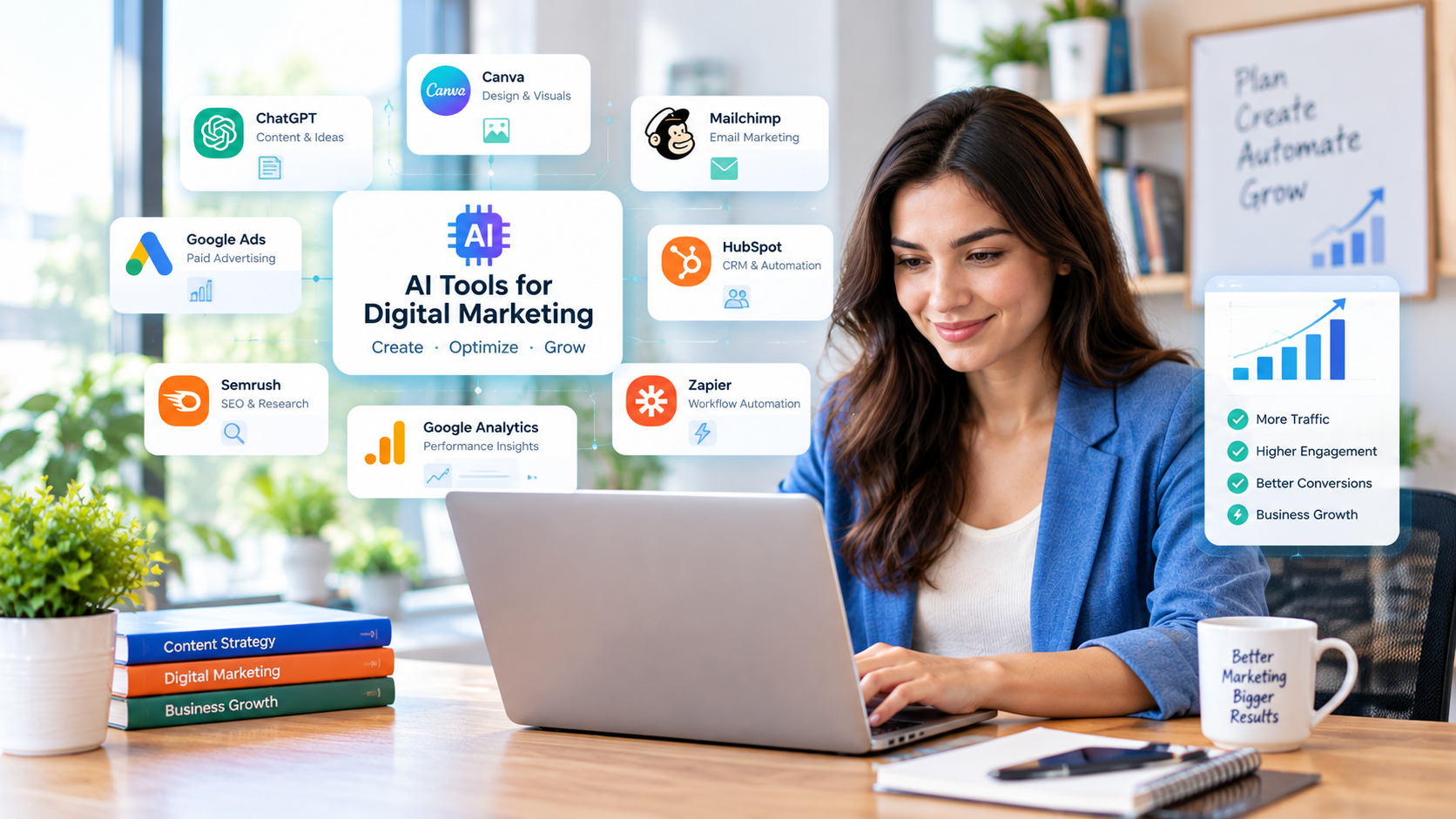
AI Tools for Digital Marketing: 9 Practical Tools for Small Businesses
Artificial intelligence is changing how businesses plan campaigns, create content, manage social media, and understand marketing performance. For small businesses, the biggest opportunity is not to automate everything. It is to reduce repetitive work while making better marketing decisions.
The right AI tools for digital marketing can help a business owner draft blog posts, develop social media ideas, create branded graphics, improve email campaigns, and analyze campaign results. However, every tool solves a different problem, and not every business needs a large collection of subscriptions.
This guide explores nine practical AI marketing tools, explains what each one can help with, and shows how to choose a combination that fits your goals and budget.
What Are AI Tools for Digital Marketing?
AI marketing tools use artificial intelligence to assist with tasks such as writing, design, customer communication, campaign planning, search engine optimization (SEO), and data analysis.
Depending on the product, these tools may generate draft content, suggest creative ideas, summarize information, organize customer data, or identify patterns in marketing reports.
For example, a local landscaping company could use an AI writing assistant to outline a seasonal lawn-care article, a design tool to prepare social media graphics, and an analytics platform to understand which website pages attract potential customers.
AI can speed up these activities, but it does not automatically make a campaign effective. Businesses still need accurate information, a clear understanding of their customers, and a way to measure results.
9 AI Tools for Digital Marketing to Consider
The tools below cover different marketing tasks. They are not presented as a universal ranking because the right choice depends on your workflow, existing software, and budget.
1. ChatGPT — Content Planning and Marketing Copy
ChatGPT can help marketers brainstorm campaign ideas, develop content briefs, draft email copy, prepare social media captions, and adapt messages for different audiences.
It is particularly useful when a small team needs to turn rough ideas into a structured first draft.
Practical uses:
- Generate blog topic ideas based on customer questions.
- Create an outline for an educational article.
- Draft several versions of an advertising headline.
- Turn a long article into shorter social media posts.
- Review campaign reports and organize findings into a summary.
Example: A small online store selling reusable water bottles could ask ChatGPT to develop a campaign around reducing single-use plastic. The business could request blog topics, email subject lines, and social media concepts, then review each suggestion for accuracy and brand fit.
Important limitation: AI-generated text may contain inaccurate claims or generic wording. Verify facts, edit the language, and add real product knowledge before publishing.
Explore the official ChatGPT marketing guide.
2. Canva Magic Studio — Visual Content Creation
Canva’s Magic Studio brings AI-assisted features into a design workflow. Depending on the feature and plan, users can generate design concepts, draft text, edit images, and adapt creative assets for different formats.
It can be useful for businesses that need consistent visuals but do not have a dedicated graphic designer.
Practical uses:
- Prepare social media graphics.
- Develop promotional materials.
- Create presentation visuals.
- Adapt an existing design to different formats.
- Build a consistent look using brand colors and fonts.
Example: A local bakery could prepare a weekend promotion, create matching graphics for different social platforms, and adapt the same campaign for an email newsletter.
Review every design for spelling, image quality, correct product details, and appropriate brand presentation. AI-generated visuals may also need manual adjustments.
Explore Canva Magic Studio.
3. Mailchimp — Email Marketing and Automation
Email marketing remains useful for businesses that want to communicate with subscribers, follow up with leads, and encourage repeat purchases. Mailchimp offers email campaign tools, automation features, reporting, and AI-assisted content capabilities.
The available features depend on the account and subscription plan.
Practical uses:
- Draft email copy and subject-line alternatives.
- Send welcome emails to new subscribers.
- Organize contacts into relevant audience segments.
- Schedule promotional campaigns.
- Review email engagement reports.
Example: A small online retailer could create a welcome email for new subscribers, follow it with a product education email, and later send a relevant promotion.
Use permission-based email lists and make sure your campaigns follow applicable email marketing requirements. AI-generated personalization should not replace appropriate consent, privacy practices, or careful audience targeting.
Explore Mailchimp’s marketing features.
4. Google Ads AI Features — Paid Advertising Support
Google Ads includes AI-powered features designed to assist advertisers with campaign insights, creative workflows, and performance optimization. The precise features available can vary by campaign type, account, and rollout.
These capabilities can support advertisers who want to understand campaign performance and identify areas that deserve closer attention.
Practical uses:
- Review campaign performance trends.
- Explore opportunities to improve advertising.
- Develop and test relevant creative variations.
- Use available recommendations as inputs to campaign decisions.
Example: A home repair company could review its paid search campaign to identify which services attract relevant leads. It should then compare advertising costs with qualified inquiries and completed jobs rather than focusing on clicks alone.
AI recommendations are not guarantees of lower costs or more sales. Set a budget, monitor results, and review changes before applying them.
For current platform information, consult Google’s official Ads and Analytics AI update.
5. HubSpot — CRM and Marketing Workflows
HubSpot combines customer relationship management with marketing and sales capabilities. Its AI features can assist with content creation and other workflow tasks, depending on the product and plan.
It may be relevant to businesses that need a clearer view of customer interactions across marketing and sales.
Practical uses:
- Organize prospect and customer information.
- Support lead follow-up workflows.
- Draft marketing content.
- Coordinate marketing and sales activities.
- Track contacts through a customer journey.
Example: A business-to-business consulting firm could organize incoming leads, record follow-up activities, and create an email sequence for prospects who request information.
Before choosing a CRM, evaluate contact limits, automation requirements, reporting, integrations, and total subscription costs. Do not purchase a complex platform if a simpler workflow meets your current needs.
Explore HubSpot’s official website.
6. Semrush — SEO Research and Content Optimization
Semrush offers SEO and digital marketing tools that help businesses research keywords, review competing pages, monitor search visibility, and identify optimization opportunities. Some workflows include AI-assisted capabilities.
For businesses that depend on organic search traffic, SEO research can help determine what potential customers are looking for and how existing pages might be improved.
Practical uses:
- Research relevant search queries.
- Identify related topics for content planning.
- Review keyword and competitor data.
- Audit technical and on-page SEO issues.
- Monitor changes in search visibility.
Example: A cleaning company could research questions about move-out cleaning, build a useful service guide, and improve existing pages to address specific customer needs.
Remember that keyword estimates are not guaranteed traffic, and a high search volume does not necessarily mean a keyword will attract qualified visitors. Review search intent, competition, business relevance, and actual Search Console performance.
Explore Semrush.
7. Grammarly — Writing and Editing Assistance
Grammarly helps users review writing for grammar, clarity, tone, and other communication issues. Its AI features can also assist with drafting and rewriting, depending on the product and plan.
It can be helpful when a business publishes frequent emails, landing pages, articles, or customer communications.
Practical uses:
- Check grammar and punctuation.
- Improve sentence clarity.
- Adjust tone for a particular audience.
- Edit customer support responses.
- Review marketing copy before publication.
Example: A consultant could use a writing assistant to make a service proposal clearer and more concise, then confirm that the final document accurately represents the services offered.
Writing tools should support editing rather than remove the human review process. Protect confidential business information and check the platform’s privacy settings before submitting sensitive material.
Explore Grammarly.
8. Google Analytics — Marketing Measurement and Insights
Google Analytics helps businesses understand how people interact with their websites and apps. Google’s marketing platforms are also adding AI-assisted summaries, reporting, and insight features.
For a small business, the value comes from connecting marketing activity with meaningful outcomes.
Practical uses:
- Review traffic sources.
- Understand which pages visitors engage with.
- Monitor configured conversion events.
- Compare performance across marketing channels.
- Investigate changes in user behavior.
Example: An online store could compare traffic from organic search, email, and paid advertising, then review which channels contribute to purchases. A service business could monitor form submissions or calls where appropriate tracking is configured.
Traffic alone does not establish profitability. Use accurate event tracking, respect applicable privacy requirements, and compare acquisition costs with business outcomes.
Explore Google Analytics.
9. Zapier — Connecting Marketing Applications
Zapier connects supported applications through automated workflows. Depending on the apps and plan, businesses can use it to move information between systems and automate repetitive tasks, including workflows that incorporate AI services.
It is useful when staff repeatedly copy information from one tool to another.
Practical uses:
- Send form submissions to a CRM.
- Notify a team when a new lead arrives.
- Route incoming inquiries to the appropriate person.
- Connect supported marketing and reporting applications.
- Trigger follow-up tasks based on defined events.
Example: When a potential customer submits a website form, an automation could add the lead to a supported CRM and notify the sales team. Staff can then review the inquiry and respond personally.
Test automations before relying on them. Check for duplicate records, failed connections, incorrect data transfers, and unnecessary access to customer information.
Explore Zapier.
AI Marketing Tools Compared
| Tool | Main purpose | Best suited for |
|---|---|---|
| ChatGPT | Ideas, drafts, campaign planning | Content and marketing teams |
| Canva Magic Studio | Visual design and creative assets | Small teams creating graphics |
| Mailchimp | Email campaigns and automation | Subscriber communication |
| Google Ads AI features | Paid advertising support | Advertisers managing campaigns |
| HubSpot | CRM and marketing workflows | Businesses managing leads |
| Semrush | SEO research and optimization | Search-focused businesses |
| Grammarly | Writing review and editing | Teams producing written content |
| Google Analytics | Website and campaign measurement | Businesses tracking performance |
| Zapier | Application connections and workflows | Teams reducing repetitive tasks |
Feature availability, pricing, usage limits, and integrations can change. Check each provider’s current plan details before purchasing. This comparison describes typical use cases; it is not a hands-on product test or a guarantee of results.
How to Choose AI Tools for Small Business Marketing
The best setup begins with a business problem, not a long list of software.
1. Identify your biggest marketing bottleneck
Write down the tasks that consume the most time or regularly cause problems.
For example:
- If content creation is slow, start with a writing assistant.
- If creating graphics is difficult, consider an AI-assisted design platform.
- If leads are missed, review your CRM and follow-up process.
- If you cannot explain where customers come from, improve analytics and conversion tracking.
- If staff repeatedly transfer data, investigate workflow automation.
2. Check the total cost
A free plan may be enough for an individual or a new business. A paid plan may become worthwhile when it offers a feature you regularly need.
Review the subscription price, usage limits, seats, integrations, add-ons, and the time needed to learn the product. Avoid paying for overlapping tools that perform the same task.
3. Check compatibility with your current systems
Before switching platforms, confirm that the tool works with your website, email provider, CRM, advertising accounts, and analytics setup.
Also consider who will maintain the workflow if the person who created it leaves the business.
4. Protect customer and business data
Read the provider’s privacy policy and understand how submitted data is processed and retained. Limit access to customer records, avoid entering sensitive information unnecessarily, and review automated messages before sending them.
Businesses operating in the United States should also consider the privacy, advertising, and industry-specific obligations relevant to their activities.
5. Run a small test before committing
Choose one task and test the tool over a defined period. Compare the results with your current process.
Useful measures include:
- Time required to complete the task.
- Editing and correction time.
- Cost per qualified lead.
- Email clicks and conversions.
- Cost per acquisition.
- Revenue or other meaningful business outcomes.
Do not assume that faster content production automatically leads to better search rankings or increased sales.
A Simple AI Digital Marketing Workflow
A small business can start with a straightforward workflow rather than trying to automate its entire marketing operation.
Step 1: Research. Identify customer questions, relevant search terms, and the purpose of the campaign.
Step 2: Plan. Use an AI assistant to develop a brief, audience profile, key message, and content outline.
Step 3: Create. Draft the content, prepare graphics, and adapt the message for the channels you use.
Step 4: Review. Check facts, originality, brand voice, accessibility, links, and compliance requirements.
Step 5: Publish and distribute. Publish approved content and share it through appropriate channels.
Step 6: Measure. Review engagement, qualified leads, conversions, and cost. Identify what should be changed in the next campaign.
For example, a local service business might publish a useful article answering a common customer question, create a few social posts that direct interested readers to the article, and track relevant website inquiries. The next campaign should be informed by the actual results rather than assumptions about what AI can achieve.
Common Mistakes to Avoid When Using AI Marketing Tools
Publishing unchecked AI-generated content
AI outputs can be inaccurate, repetitive, or too generic. Verify important claims and add original examples, practical experience, and information that helps your audience make decisions.
Using too many tools
Multiple subscriptions can create extra costs, fragmented data, and complicated workflows. Start with the smallest combination that solves your most important problem.
Ignoring brand voice
Content that sounds different across your website, emails, and social channels can weaken your brand identity. Create simple guidelines covering tone, terminology, claims, and preferred writing style.
Automating without oversight
Incorrect automation can send irrelevant emails, duplicate records, or route customer information improperly. Test workflows and provide a way for staff to intervene when needed.
Measuring activity instead of outcomes
The number of posts produced or emails sent does not prove that marketing is effective. Measure the outcomes that matter to your business, such as qualified leads, completed purchases, retention, or cost per acquisition.
Treating AI as an SEO shortcut
AI can assist with research and drafting, but it cannot guarantee rankings. Google’s guidance emphasizes useful, reliable, people-first content and warns against producing large amounts of low-value content primarily to manipulate search rankings.
Read Google Search Central’s guidance on generative AI content.
Frequently Asked Questions
What are the best AI tools for digital marketing?
The appropriate tools depend on your needs. ChatGPT can assist with planning and writing, Canva with visual content, Mailchimp with email marketing, Semrush with SEO research, and Google Analytics with performance measurement. Compare current features and costs before choosing.
Are there free AI marketing tools?
Some providers offer free plans, limited free features, or trial access. Availability and limits change, so check the official pricing pages. A free tool is useful only if its capabilities fit your workflow.
Can AI tools replace a digital marketer?
AI can assist with repetitive tasks, but it does not remove the need for strategy, customer understanding, fact-checking, creative judgment, and accountability. Human oversight remains important for campaign decisions and published claims.
Can AI marketing tools improve SEO?
They can help with brainstorming, outlining, editing, keyword research, and analyzing data. However, using AI does not guarantee better rankings. Pages should satisfy search intent and provide accurate, useful information beyond generic summaries.
Which AI marketing tool should a small business use first?
Start with the task causing the greatest problem. A business struggling to publish content might begin with a writing assistant. A business that cannot measure results might first improve analytics. Choose based on your needs rather than popularity.
How can a business measure the value of AI marketing tools?
Compare the time, cost, and quality of work before and after adoption. Track business outcomes such as qualified leads, conversions, revenue, and customer retention where appropriate. Include subscription costs and human review time in the calculation.
Final Thoughts
AI tools for digital marketing can help small businesses organize campaigns, produce content, create visuals, manage customer communication, and interpret marketing data. The most useful setup is the one that addresses a genuine business need without adding unnecessary complexity.
Start with one or two tools, define what success looks like, and test them on a real marketing task. Review the output carefully, protect customer data, and expand your workflow only when the results justify the additional cost.
AI should support better marketing decisions—not replace the judgment, expertise, and customer understanding that make a campaign valuable.
2 thoughts on “9 Powerful AI Tools for Digital Marketing to Grow Your Business”